
Are you facing a large number of interview recordings, meeting videos, or course lectures, but struggling with no time to manually organize them into text? Finding a good free transcription software is not just about quickly turning audio and video into text, but also about significantly boosting your learning and work output.
We've tested dozens of tools, covering various types from fully automatic speech recognition to manual-assisted transcription. Whether you need to transcribe video to text, create meeting notes, process research interviews, or turn lecture recordings into readable text, this list can help you find a tool that fits your needs.
TL;DR
Let's look at a brief summary first:
All-around Top Pick: EasyScribe. Supports 50+ scenarios, with features covering transcription, translation, and summarization.
Best for Mac Users: MacWhisper. Utilizes local computing power with excellent privacy protection.
Best for Academic Research: oTranscribe or InqScribe. Suitable for scenarios requiring precise manual proofreading.
Best for Meeting Records: Jamie or Otter. Focuses on speaker identification and action item extraction.
EasyScribe: One-stop Audio & Video Transcription Tool
EasyScribe is a very comprehensive and user-friendly transcription software online currently on the market. It is more than just a simple transcription tool; it is more like an audio and video processing workspace designed specifically for content creators, students, and professionals.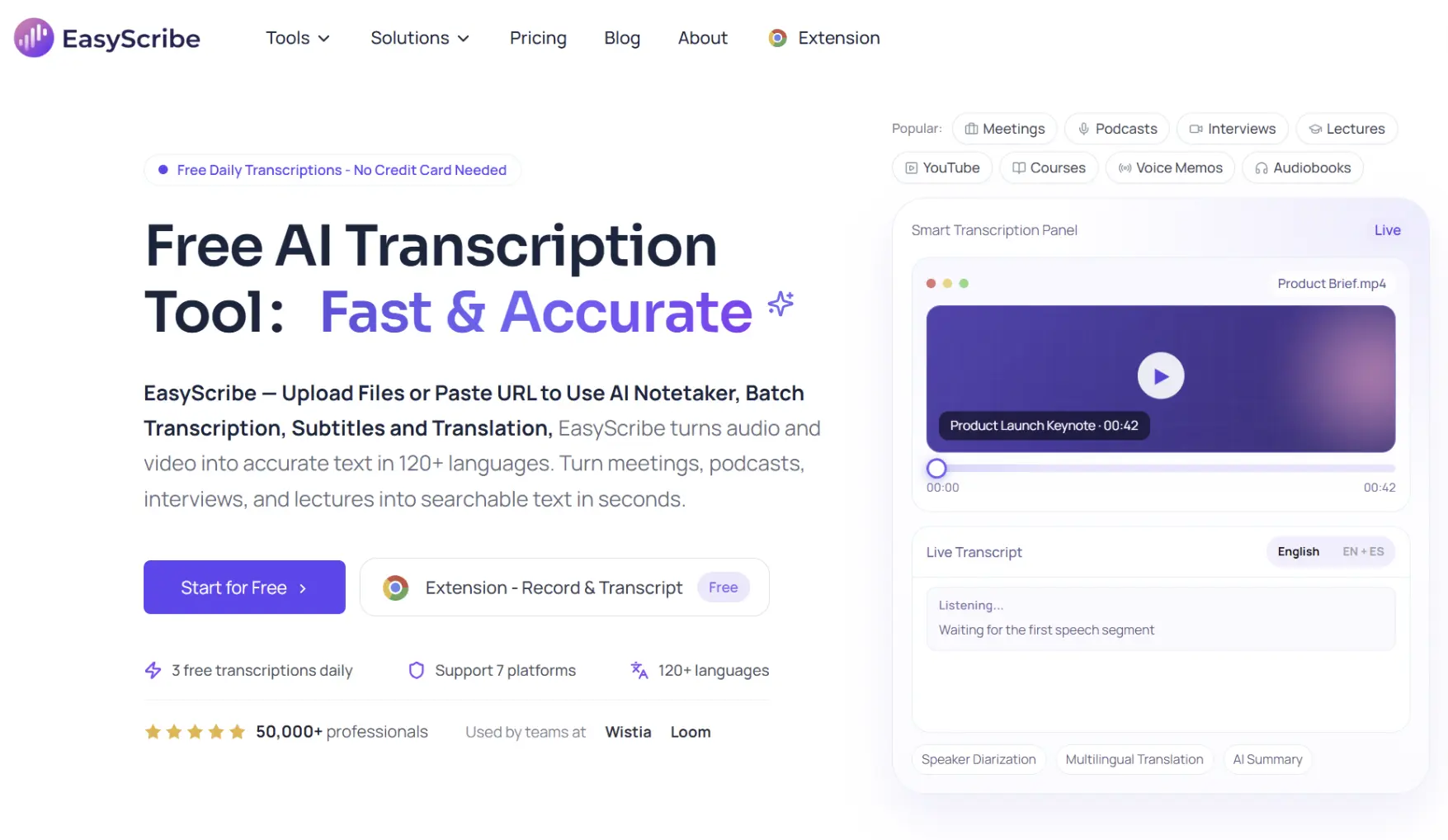
Its most attractive feature is the support for directly pasting public links from YouTube, TikTok, Spotify, and Apple Podcasts. This means you don't need to download the video to your local device first; you can generate transcripts directly online.
Core Advantages:
Extremely strong transcribe video to text capability, supporting mainstream video formats such as MP4, MOV, AVI, etc.
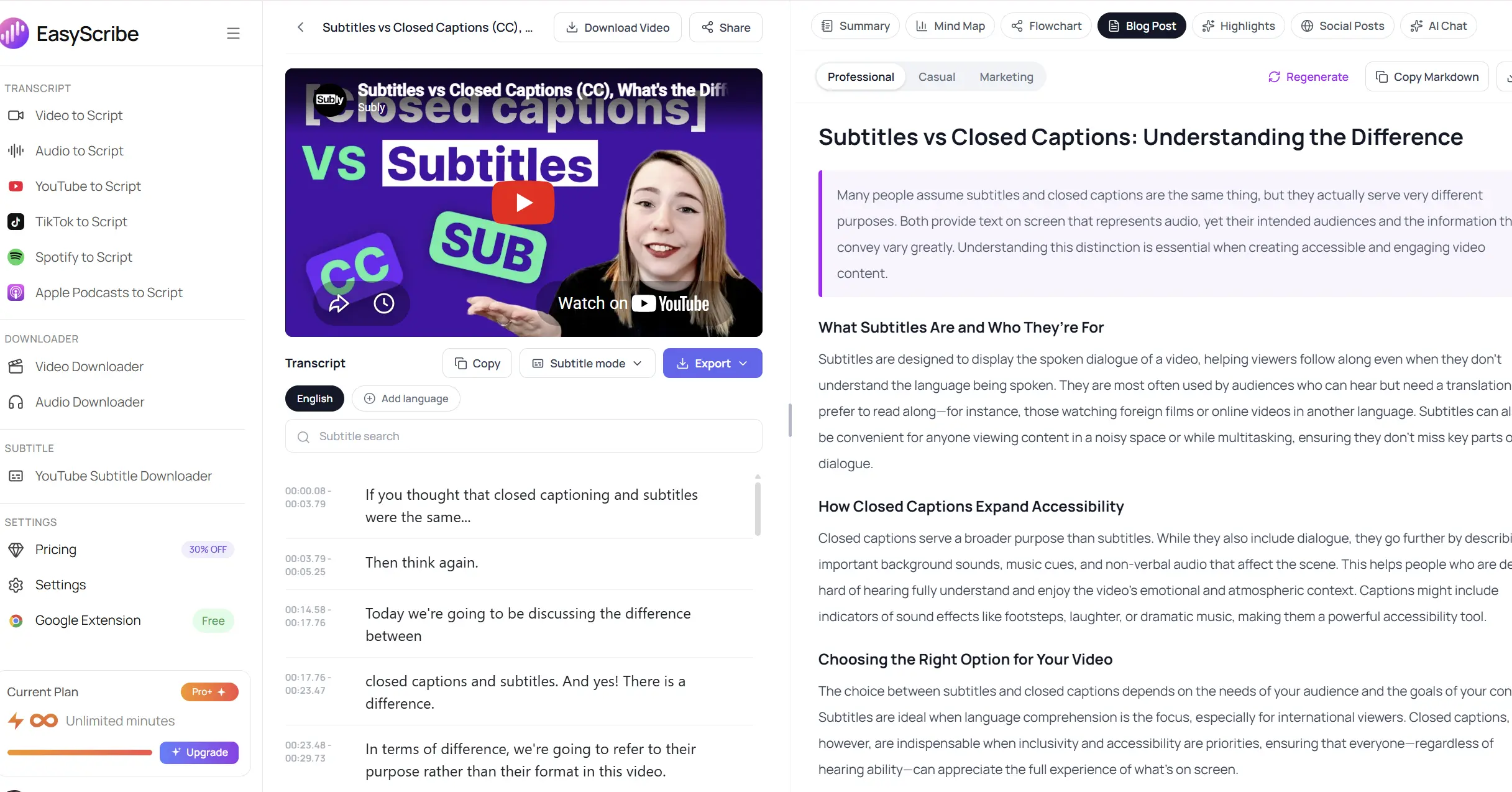
Provides AI summarization features that automatically extract meeting key points, learning notes, and action lists.
Supports 120+ languages worldwide, making it very convenient to translate after transcription.
Single file upload limit reaches 2GB, handling large video files without pressure.
Multiple output formats: TXT, SRT, VTT, Docx, PDF.
Automatically generate summary, mind maps, flowcharts, blog posts, highlights, and social posts from your transcripts.
Disadvantages:
Limited free quota: Free users are limited to 3 files per day, and each file cannot exceed 10 minutes; an upgrade is required to process long videos.
No support for private links: Cannot directly transcribe unlisted videos or content that requires a login to view.
Not a real-time assistant: It mainly works by uploading files or pasting links and cannot directly "enter" an ongoing live meeting like a meeting bot.
Price:
Free Version: Can process 3 files per day, up to 10 minutes per file.
Paid Version: Starting from $7.99, removes duration limits, supports batch upload and batch transcription, and provides share-by-link functionality.
Target Audience: Video bloggers, deep listeners who need to organize podcast notes, and learners who need to quickly process multi-language video materials.
Jamie: Meeting Assistant Without a Joining Bot
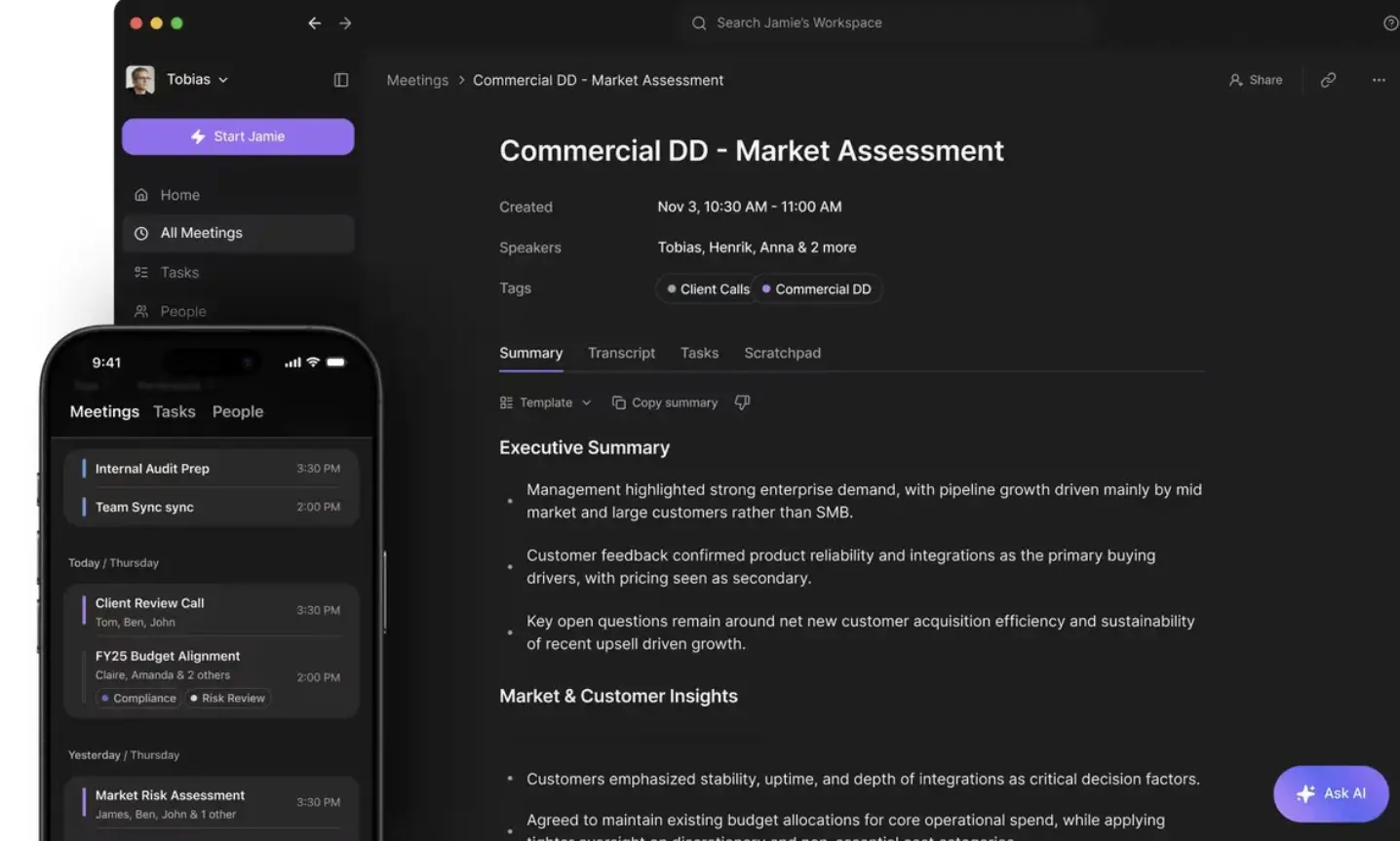
Jamie does not need to have a Bot join the meeting like other software. It records your computer's audio directly in the background, making the meeting process feel more natural and private.
Core Advantages:
Generates high-accuracy transcripts with intelligent topic detection.
Automatically extracts action items from meetings.
Supports 100+ languages and can even handle mixed-language calls.
Disadvantages:
- It cannot process pre-saved local video files, as its primary functionality is centered on real-time recording.
Price:
Free Plan (€0): 10 meeting credits per month, limited to 30 minutes per meeting.
Plus Plan (€25/month): 20 meeting credits per month, limited to 2 hours.
Pro Plan (€47/month): Unlimited meeting credits, limited to 3 hours.
Target Audience: Business executives or project managers who have a large number of online meetings every day but do not want transcription bots to interfere with the meeting atmosphere.
Otter: The Veteran Choice for Team Collaboration
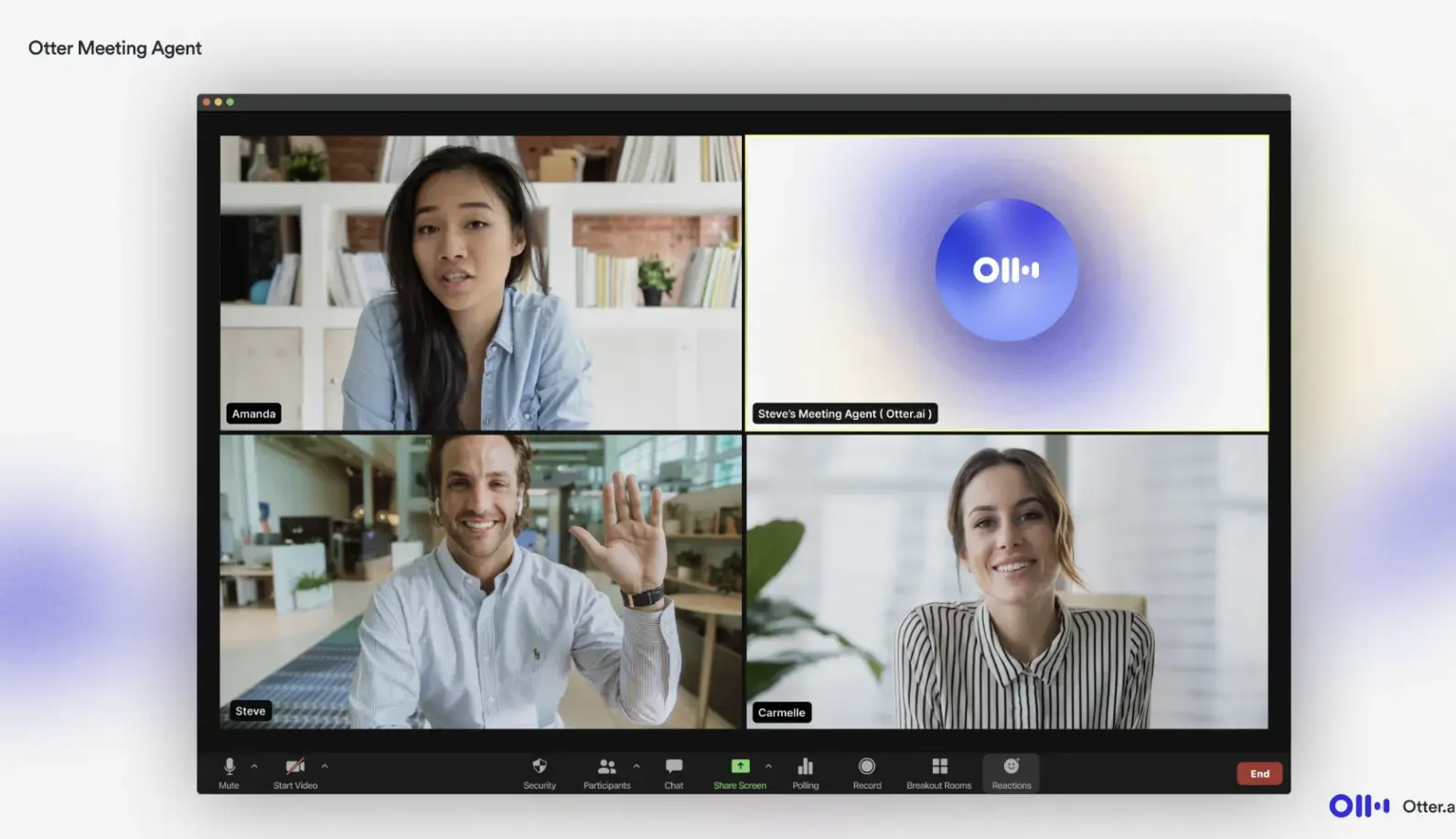
When talking about the best free transcription software, Otter.ai is a name that almost cannot be avoided. It is famous for its powerful speaker identification technology, clearly marking who said what and when.
Core Advantages:
Very smooth real-time transcription functionality.
Provides a team collaboration space where you can highlight and comment directly on the transcript.
Disadvantages:
- Otter's free version has more and more limitations, and its support for non-English languages like Korean is not ideal.
Price:
Basic Plan: Free to use, 300 minutes of transcription quota per month, limited to 30 minutes per conversation.
Pro Plan ($10/month): 1200 minutes of quota per month, limited to 90 minutes per conversation.
Business Plan ($20/month): 6000 minutes of quota per month, limited to 4 hours.
Target Audience: Multinational teams with English as the primary working language, international students, or English news journalists.
MacWhisper: Offline Transcription Artifact for Mac Users
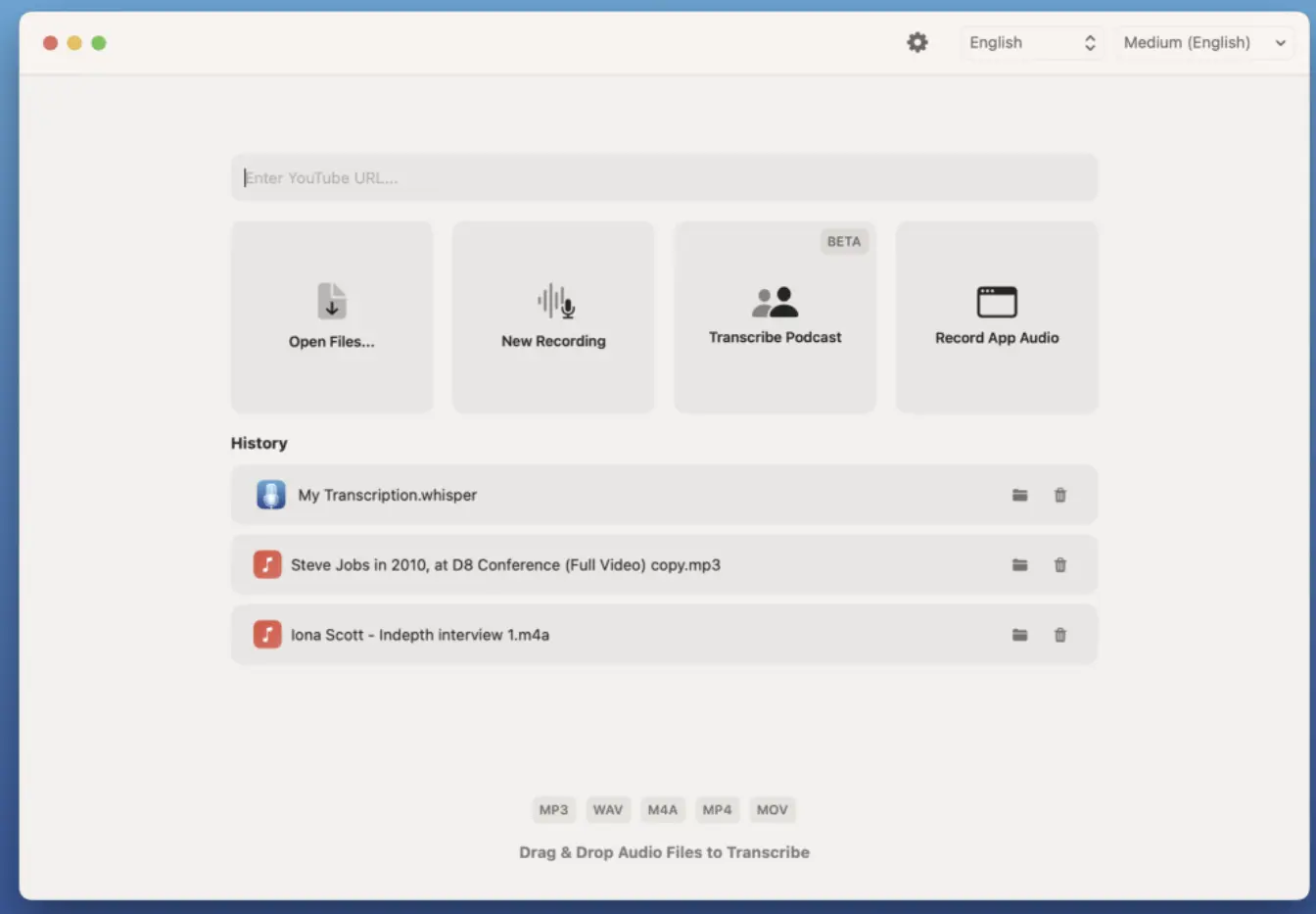
If you are looking for the best free transcription software for Mac, MacWhisper is the most recommended currently. It is based on OpenAI's open-source Whisper model and runs locally on Mac devices.
Core Advantages:
Audio does not need to be uploaded to the cloud; all processing is done locally.
The performance of the Whisper model is currently at the top tier of the industry.
Perfectly fits the operating logic of macOS.
Disadvantages:
Due to local computation, processing speed depends on your computer's performance.
There is no Windows version.
Price:
Basic Version: Free download, supports transcription with the basic model.
Pro Version: Approximately €29 for a one-time buyout, supports larger and more accurate models, provides segmented translation, SRT export, and other advanced features.
Target Audience: Professionals with high-performance Mac devices who handle extremely sensitive or confidential materials.
oTranscribe: Pure Open Source Choice
If you like free open source transcription software, aren't afraid of a bit of trouble, and prefer manual-assisted transcription, oTranscribe is the right choice. It runs in the browser and is completely free and open source.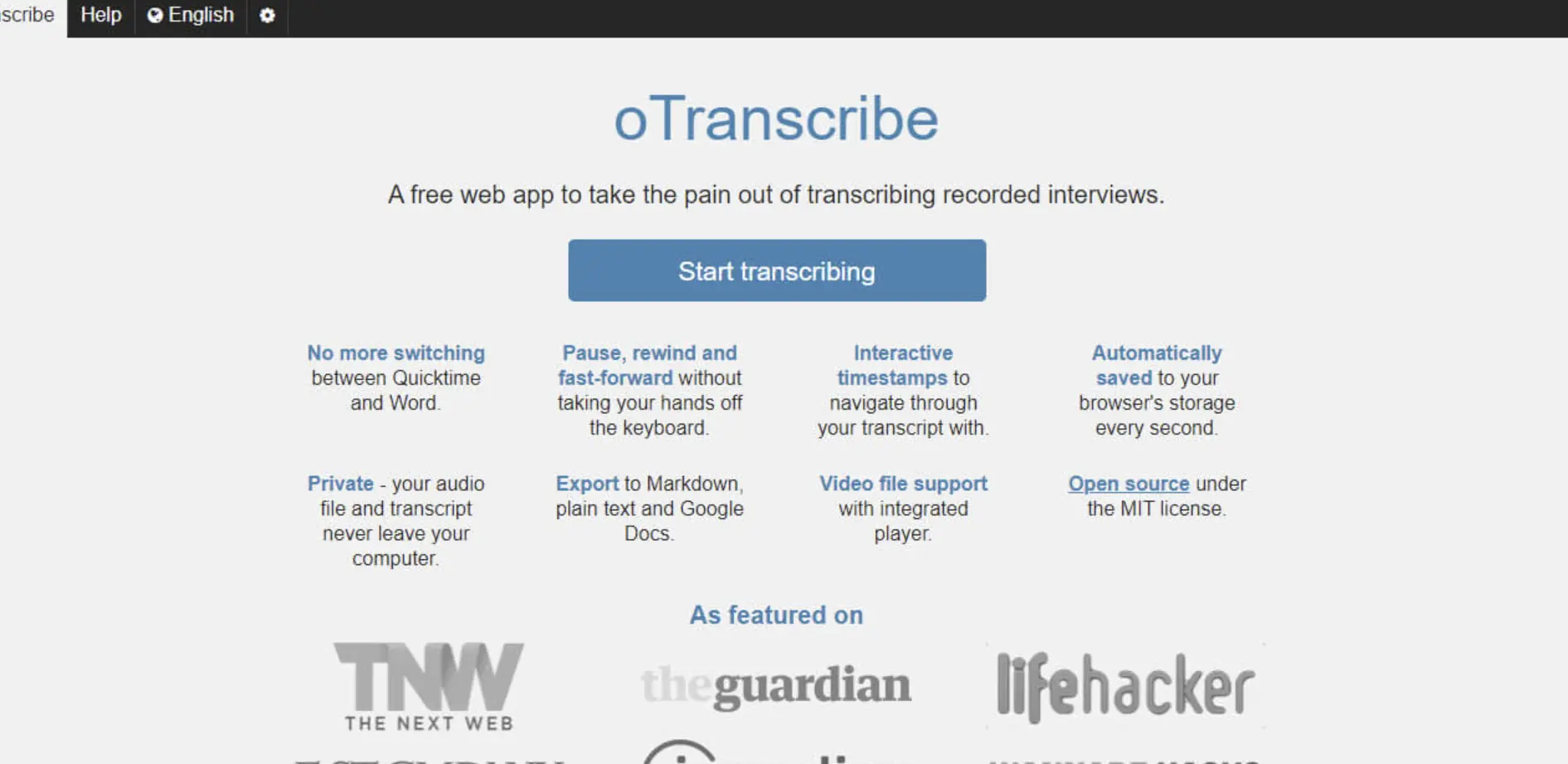
Core Advantages:
Integrates the player and editor into one window, so you don't need to switch back and forth between two software programs.
Supports keyboard shortcuts for play/pause, fast forward/rewind.
Auto-save feature prevents data loss.
Disadvantages:
No support for automatic transcription. It is only a tool to assist manual typing, meaning you still need to type while listening.
All data is stored in the browser cache; clearing the cache may result in data loss.
Price:
- Completely Free: Open source project with no hidden costs.
Target Audience: Free transcription for academic research. Researchers often need to conduct 100% precise verification of interview content, and the interaction method provided by oTranscribe is very suitable for this type of fine-grained operation.
Happy Scribe: Balance of AI Transcription and Human Services
Happy Scribe offers two types of services: AI automatic generation and human proofreading. Human service is paid, but its AI free trial version is also quite powerful and supports many minor languages.
Core Advantages:
Clean interface with diverse export formats.
Supports an interactive editor, making it easy for users to quickly modify AI-generated text.
Disadvantages:
- Expensive, and the free version is almost unusable. Its free quota is very stingy, usually only allowing a few minutes of trial, making it essentially more like a pure paid software.
Price:
Free Version: Provides a small amount of trial credits.
Basic Plan ($17/month): 120 minutes of quota per month.
Pro Plan ($29/month): 300 minutes of quota per month.
Business Plan ($89/month): 6000 minutes of quota per month, supports team collaboration.
Target Audience: Independent filmmakers and global content creators who need to produce precise subtitles for multi-language videos.
InqScribe: Professional Recording Organization Tool
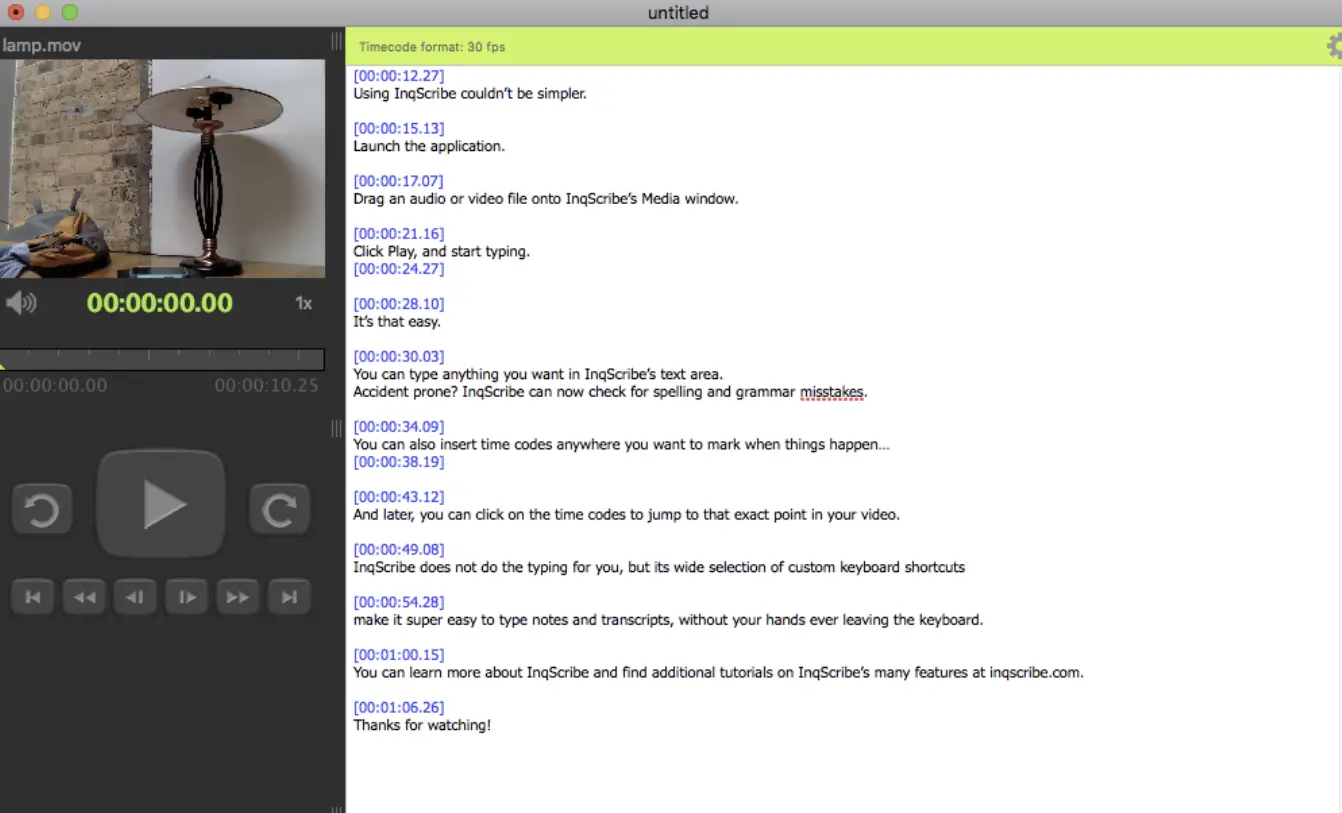
InqScribe is a hardcore workstation designed for professionals who prioritize manual precision over automated speed. It has maintained a strong reputation in academic circles and the documentary film industry because it gives the user complete control over every frame of the media.
Core Advantages:
Supports custom shortcuts for extremely precise timestamp insertion.
Compatible with almost all audio and video formats.
Disadvantages:
Completely lacks automatic transcription functionality. It is a pure manual tool.
The interface is very old-fashioned, looking like a product from 20 years ago, and the free version cannot save files, only serving as a demo.
Price:
Free Trial: Provides a 14-day full-feature trial.
Personal License ($99): One time buyout for permanent usage rights.
Target Audience: Professional researchers or documentary producers who need to process massive amounts of interview material.
Express Scribe: Old-school Transcription Workstation
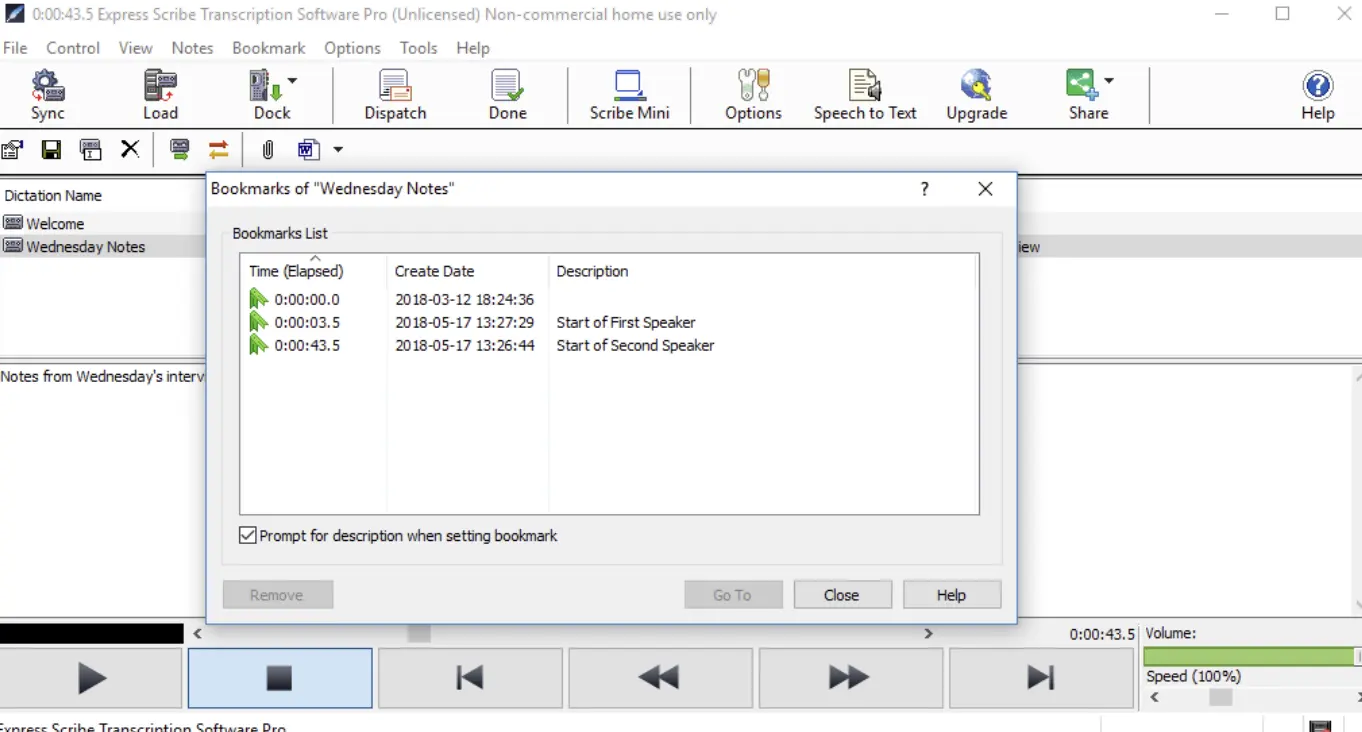
Express Scribe is a long-standing workhorse in the professional transcription industry. Rather than trying to be a sleek modern app, it focuses on being a robust player that bridges the gap between specialized recording hardware and your word processing software. It is the go-to choice for those who still value tactile control and high-speed manual typing.
Core Advantages:
Supports formats from various professional voice recorders.
Can be linked with word processing software (such as Word).
Disadvantages:
Steep learning curve, requires setting parameters in the interface, and is very unfriendly to beginners.
The free version only supports a few audio formats (such as MP3) and does not support video transcription.
Price:
Basic Free Version.
Pro Version is approximately $34.99.
Target Audience: Professional stenographers in the legal and medical industries who are usually accustomed to using physical pedals to control playback.
Trint: Collaboration Platform for Content Creators
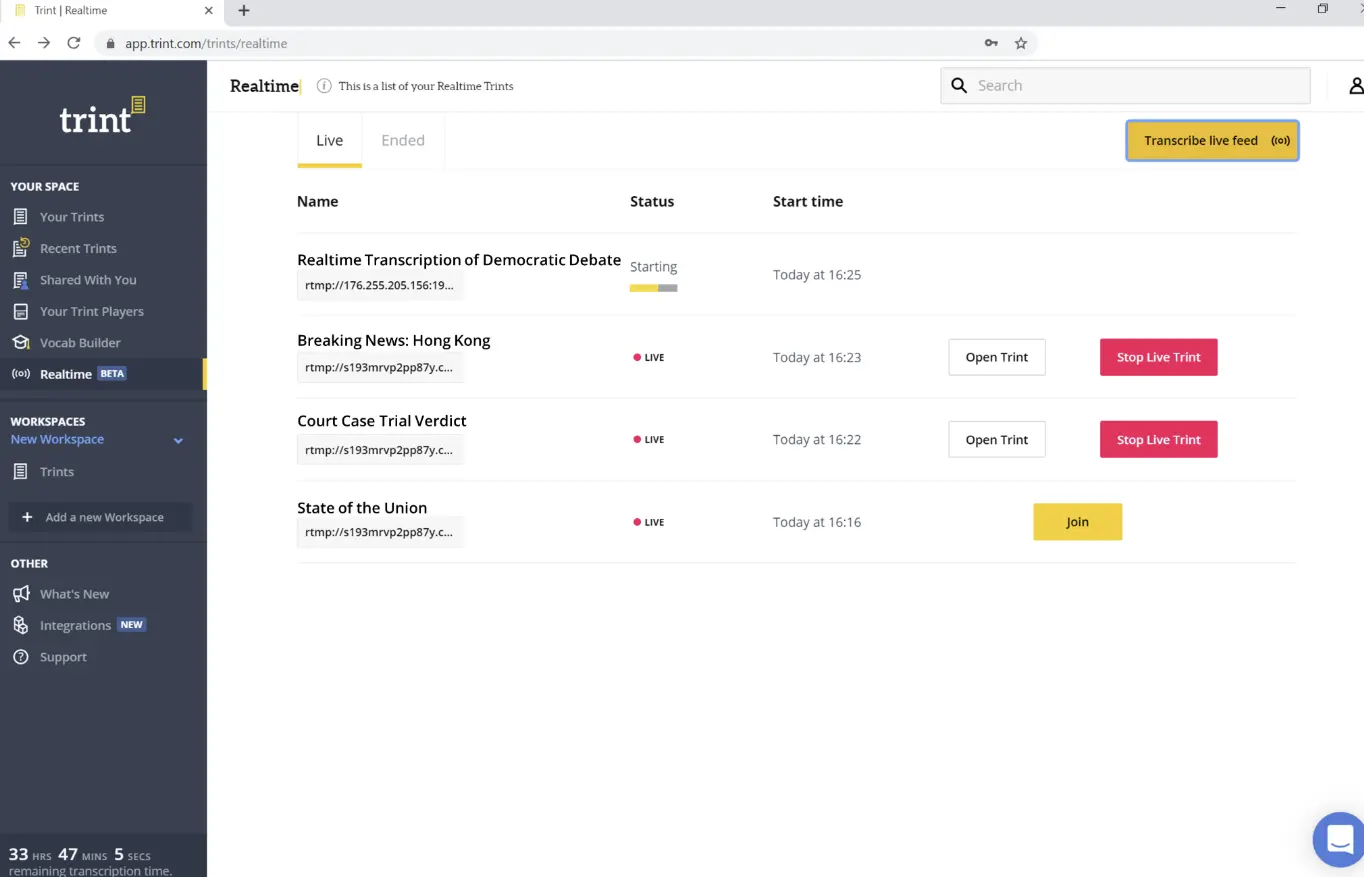
Trint is often categorized as a high-end storytelling platform rather than a simple transcription tool. It is widely used by major newsrooms and broadcasting companies because it treats transcription as part of the video editing process. The software’s philosophy is built around the idea that you should be able to edit video or audio files just as easily as you would edit a text document.
Core Advantages:
- Its transcript is completely synchronized with the video timeline. If you delete a piece of text, the corresponding video segment is also marked, which is very useful during rough cutting.
Disadvantages:
- High cost. It is one of the most expensive transcription tools on the market, and the free trial period is extremely short (only 7 days); after expiration, all features are locked.
Price:
Free version: 7-day trial
Pro version: Starting at $80/month.
Target Audience: Large news media organizations, TV station editing teams, or high-end marketing companies with ample budgets.
FAQ
Q: What is the best free transcription software?
I believe there is no such thing as the "best" free transcription software, only the most suitable one. If you really don't know which one to choose, I suggest trying EasyScribe, as it is applicable to different scenarios and supports the most languages.
Q: Is there any transcription software that is completely free and has no time limit?
A: There are few online tools without time limits because server computing costs are very high. However, manual transcription tools like oTranscribe are completely free. If you have a technical background, you can also run the open-source Whisper model locally.
Q: How can I improve the accuracy of automatic transcription?
A: Transcription quality largely depends on the clarity of the original audio. Try to record in a quiet environment, avoid background noise, and ensure the speaker speaks clearly. If the audio has a lot of noise, the AI's performance will be affected.
Q: Can I use these tools on my phone?
A: Both Otter and EasyScribe have good mobile compatibility. EasyScribe is web-based, which means you only need to open your mobile browser and paste the link to transcribe, which is very convenient.
Q: Which tools provide accurate multi-language meeting transcriptions?
A: EasyScribe provides multi-language meeting transcriptions by supporting over 120 languages, offering translation features, and high accuracy with speaker recognition and AI models.
Q: Can you transcribe for free?
A: There are a few free transcription tools, but most offer a free trial. EasyScribe, for example, offers a free plan and a free trial with access to an extended list of features.
Summary
Organizing audio and video content is quite tedious, but with the help of tools, we can save a lot of time. If you need a comprehensive solution that supports various public links and is easy to operate, EasyScribe is currently a very ideal starting point, especially for those looking to transcribe video to text quickly. If you value local privacy and deep Mac integration more, MacWhisper is the best choice.
In this era of information explosion, learning to use free transcription software to turn speech into searchable and editable digital assets can keep you ahead in learning and work. Choose a tool now and start your first transcription!text