Free Daily Transcriptions - No Credit Card Needed

Free AI Transcription Tool: Fast & Accurate

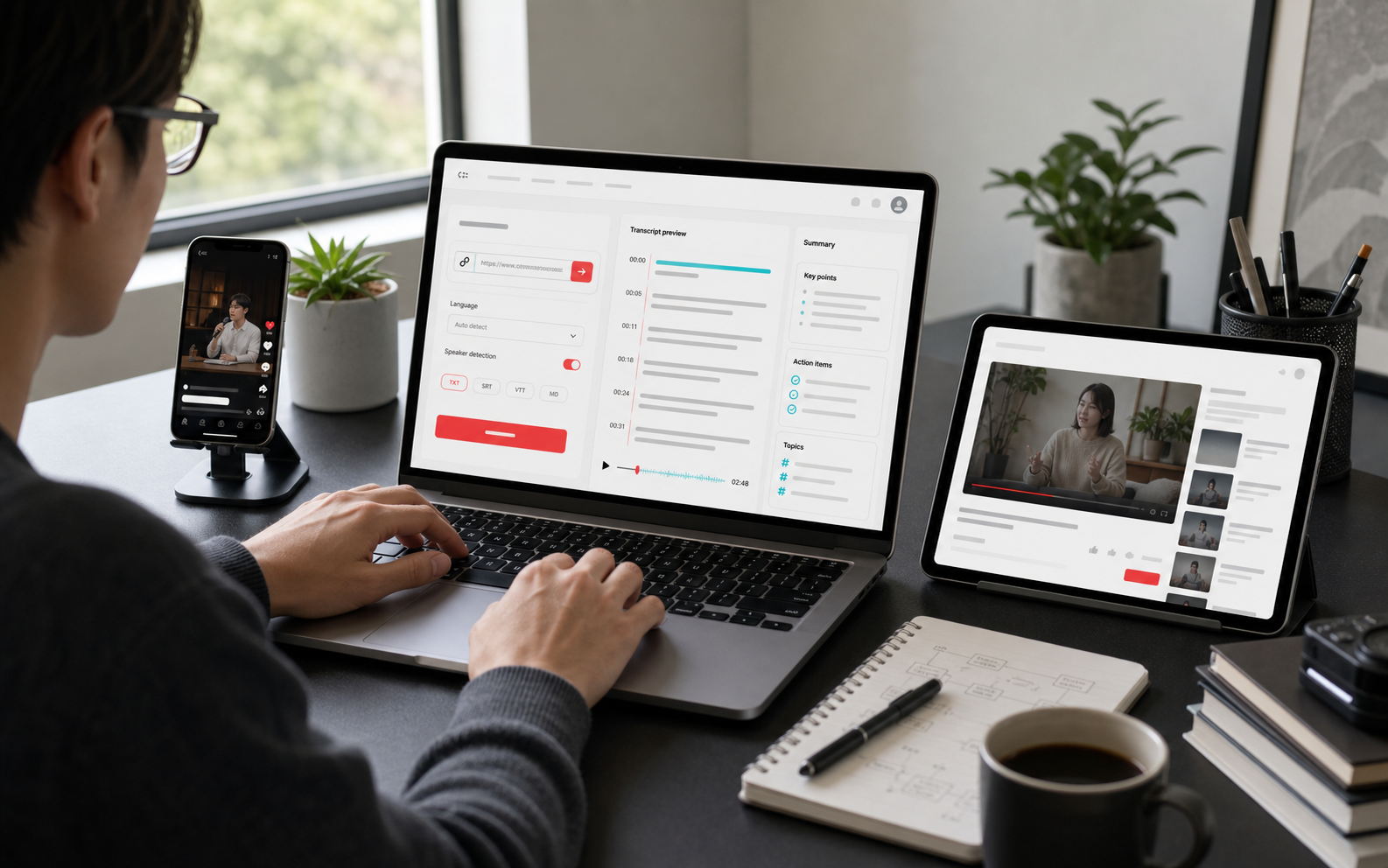
EasyScribe is a free AI transcription tool that turns audio and video into accurate transcripts, summaries, subtitles, and translated text in 120+ languages. With EasyScribe AI, you can transcribe, translate, and repurpose your content effortlessly on one platform.

★★★★★ Trusted by 50,000+ creators, researchers, and professionals
Smart Transcription PanelLive
Product Brief.mp4
Product Launch Keynote · 00:42
00:0000:42
Live Transcript
Listening...

Waiting for the first speech segment|

Speaker DiarizationMultilingual TranslationAI Summary
Siemens
Medium
Okta
Skechers
Autodesk
Sony
Cisco
ServiceTitan
GitHub
VMware
Alorica
Trusted By 50,000+ Users Worldwide

Results That Speak for Themselves.

Our tool is built to save time on work that used to take hours, with the accuracy and speed people need for daily use.

5M+

Minutes Transcribed

Professionals, students, and creators use EasyScribe to process millions of minutes of audio and video every month, including voice memos, team meetings, podcast episodes, interviews, webinars, and online courses.

65%

Time Saved Per Week

For users who spend too much time on manual documentation and note-taking, EasyScribe helps save over five hours per week on average with AI summaries and meeting action items, leaving more time for strategic work.

50+

Scenarios, One Platform

From boardroom meetings to classroom lectures, and from podcast studios to research labs, EasyScribe adapts naturally to your team's workflow, no matter the format, language, or scale.

Features & Benefits

Everything You Need to Turn Speech into Action

Transcription

Get Clear, Accurate Transcripts in Less Time

EasyScribe delivers high-quality transcripts that are usable right away, so you don't need to proofread line by line.

  • 99.5% Accuracy: Upload your file and let EasyScribe handle the rest. It automatically generates high-quality transcripts from your audio or video using AI.
  • Speaker Identification: It can identify and separate speakers in multi-speaker audio with AI diarization, making it useful for podcasts, interviews, and meetings.
  • Subtitle & Transcript Modes: Whether you are adding captions to your video or turning your podcast into an article, EasyScribe offers flexible options for your needs.
Transcribe for Free
EasyScribe Speaker Identification
Translation

Transcribe and Translate in 120+ Languages

If you need an AI transcription tool that helps you create multiple language versions of spoken content, EasyScribe is a perfect choice.

  • 120+ Languages & Dialects: Whether your recording is in Mandarin, Portuguese, Arabic, Japanese, or something else, this tool covers a wide range of languages you need.
  • Multi-Language Output: Our tool lets you upload one file, then generate translated versions in multiple languages without starting over each time.
  • Accent & Dialect Aware: It supports accurate transcription across different accents and dialects, helping you create clearer, more accurate transcripts.
Translate for Free
EasyScribe Multilingual Translation
AI Insights

Stop Typing. Start Getting Insights with AI.

EasyScribe makes it easy to summarize, review, edit, and pull answers from your transcript in one place.

  • AI Summaries & Notes: It automatically turns transcripts into structured summaries and notes that are easy to scan, share, and reuse.
  • Chat with Your Content: You can ask AI any question about your transcript. The built-in AI assistant will answer by pulling out the exact details you need.
  • Timestamped Editing: You can manage and edit all your transcripts in your collection library. It makes it easy to find, fix, and update transcript and subtitle lines directly in the browser.
AI Summarize for Free
EasyScribe AI Summaries and Notes
How It Works

Get AI Transcripts in 3 Simple Steps

No complex setup. No learning curve. Just upload and go.

1

Upload

Drag and drop your audio or video file from your device. EasyScribe supports MP3, MP4, WAV, M4A, MOV, WebM, and 20+ other formats.

2

Transcribe

Choose the source language, and add translation if needed. Then start transcription in one click. Your transcripts will be saved automatically in My Creations section.

3

Export & Share

Edit your transcripts, captions, and subtitles directly in the workspace. Then export your files as TXT or DOCX, or share them publicly in one click.

Designed for You

Built for the Way You Work

Whether you're in a classroom, a studio, or a boardroom — EasyScribe fits right in.

EasyScribe Students Lecture Transcription

Students

Turn lectures, seminars, and recorded lessons into clear transcripts and study notes that are easier to search, review, and come back to before exams, class discussions, or group projects.

EasyScribe Educators Transcription

Educators

Create transcripts, recap notes, and translated materials from recorded lessons, webinars, and teaching content, making it easier to support missed classes and multilingual learning.

EasyScribe Professional Transcription

Professionals

Keep an accurate written record of client calls, internal debriefs, hiring interviews, training sessions, and follow-up conversations, so important details do not get buried in chat threads or lost after the meeting ends.

EasyScribe Researcher Transcription

Researchers

Turn interviews, discussions, and recorded observations into transcripts that are easier to organize, quote, and review, so analysis feels less fragmented and more manageable.

EasyScribe Creator Transcription

Creators

Get more from every recording by turning YouTube videos, podcasts, and voice recordings into transcripts, subtitles, summaries, and draft-ready text for editing, repurposing, or publishing.

Global Coverage

One Upload, 120+ Languages Supported

From major world languages to regional dialects — accurate transcription wherever your audience speaks.

Chinese

CN flagHK flagMO flagSG flag

Mandarin, Cantonese

English

US flagGB flagCA flagAU flag

Global English variants

Japanese

JP flag

Standard Japanese

Korean

KR flag

Standard Korean

Spanish

ES flagMX flagAR flag

EU + LATAM Spanish

French

FR flagCA flagBE flag

FR + Canadian French

German

DE flagAT flagCH flag

Standard German variants

Portuguese

PT flagBR flag

EU + Brazilian Portuguese

Italian

IT flag

Standard Italian

Dutch

NL flagBE flag

Dutch + Flemish

Russian

RU flag

Standard Russian

Ukrainian

UA flag

Standard Ukrainian

Arabic

SA flagAE flagEG flag

MSA + regional speech

Turkish

TR flag

Standard Turkish

Hindi

IN flag

Hindi speech support

Vietnamese

VN flag

Vietnamese variants

Indonesian

ID flag

Bahasa Indonesia

Malay

MY flag

Bahasa Melayu

Polish

PL flag

Standard Polish

120+View all languages →
Testimonials

What Our Customers Say

Join thousands of professionals who use EasyScribe to save time on transcription and notes.

John Grande

Content Creator

"EasyScribe just gets the job done without me constantly checking the transcript. Subtitles are easy too. I've tried a few AI transcription tools, and this one actually feels reliable."

Noah Kim

Product Manager

"Meeting recordings used to take forever to document. Now we upload once and share clean summaries with the team in minutes. I'd definitely recommend EasyScribe."

Elisabeth Reed

Translator

"As a translator, language support is everything. EasyScribe handles multilingual transcription and translation in one place, while staying easy to use. I love it!"

Eric Lathan

Content Creator

"I'm not a tech person at all, but I still managed to turn a video into text in minutes with EasyScribe AI Transcription tool. If I can use it, anyone can."

Liam Patel

Podcast Producer

"The transcript quality stays strong even when two speakers are talking fast. We use EasyScribe every week for episode notes and clips. We can't imagine working without it."

Sofia Rivera

Marketing Lead

"I love how quickly we can turn webinar recordings into blog drafts. The notes pull out the points we need for campaigns."

FAQ

AI Transcription FAQs

Can't find what you need? Contact us.

EasyScribe achieves up to 99.5% accuracy on clear audio. Please note that the accuracy depends on the audio quality, background noise, and speaker clarity. For many recordings, including meetings, podcasts, and interviews, you'll get transcripts that need little or no manual cleanup.

Ready to Get Free AI Transcripts in Minutes?

Join thousands of professionals who turned audio and video into clean, usable text — in one click.

Start for Free
3 Free Transcriptions Daily
120+ Languages Supported
Up to 99.5% Accuracy