
AI transcription guide · 12 min read
7 Things to Check Before Choosing a Transcription Service
Check accuracy, file support, turnaround, speaker labels, languages/subtitles, pricing, and security before choosing a transcription service.
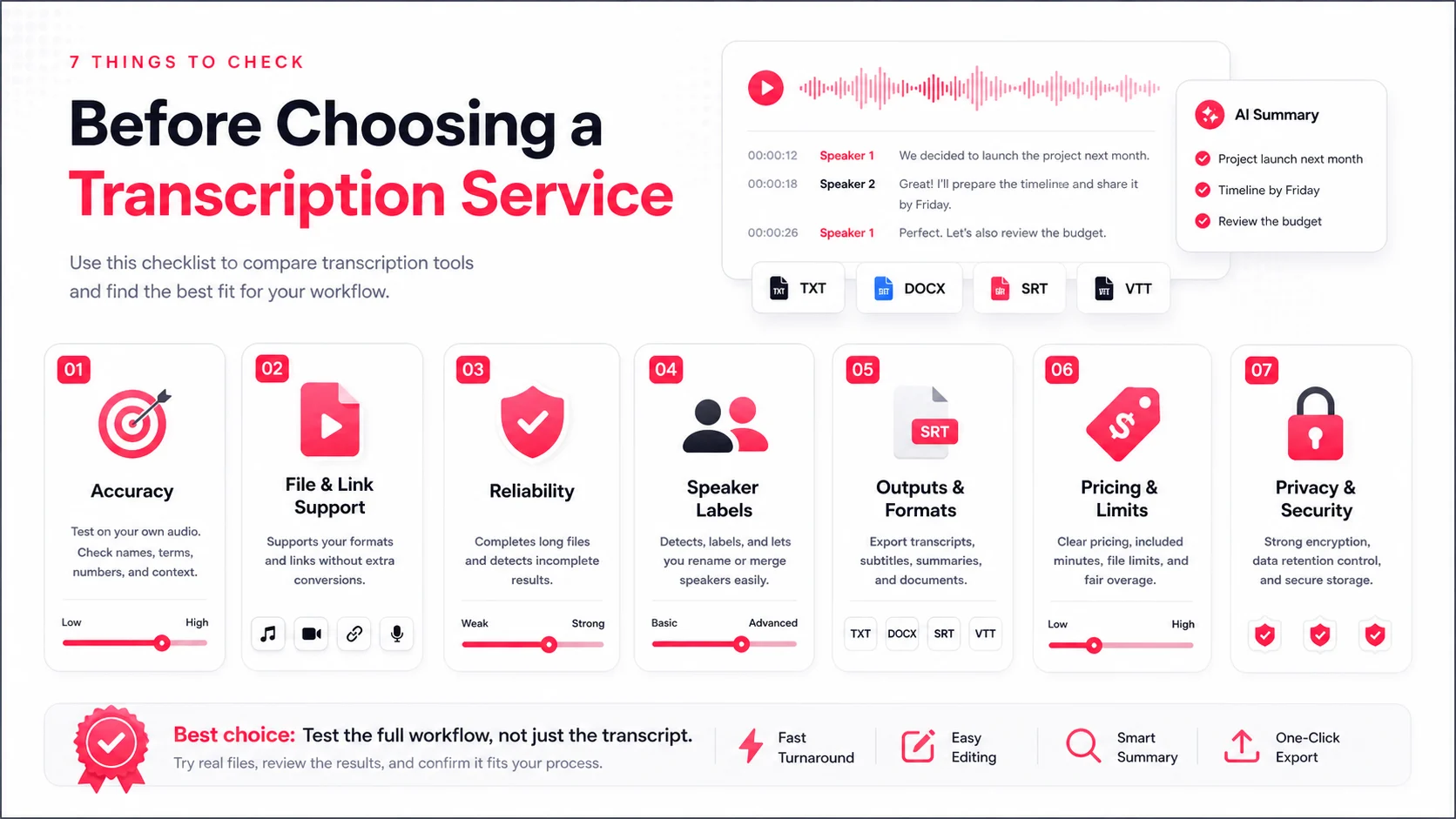
The best transcription service is the one that fits your files, deadlines, output formats, and privacy rules. Start with seven checks: accuracy, file support, turnaround, speaker labels, language and subtitle export, pricing, and security.
Do not begin with a perfect demo file. Upload a five-minute sample from your hardest real recording and judge the complete workflow.
Quick Comparison
| Check | What to look for | Why it matters |
|---|---|---|
| Accuracy | Names, numbers, negations, jargon, editing | Small errors can change meaning |
| File support | Audio, video, links, batch upload | Avoids conversion work |
| Turnaround | Clear progress and complete coverage | A fast partial result is still a failure |
| Speaker labels | Rename, merge, timestamps | Makes multi-speaker text usable |
| Languages and subtitles | Source language, translation, SRT/VTT | Supports global and video workflows |
| Pricing | Included minutes, limits, add-ons | Prevents surprise costs |
| Security | Access, retention, deletion, sharing | Protects sensitive recordings |
What a Good Transcription Service Should Do
A good service should complete the full recording, make uncertainty visible, and help users correct the result. Raw text alone is not enough. The review, speaker, summary, export, and deletion workflows determine whether the transcript is actually useful.
1. Accuracy and Transcript Editability
Test difficult audio: a noisy meeting, a compressed social video, an interview with accents, or a recording with specialist vocabulary.
Check:
- Proper names and organizations
- Dates, money, percentages, and product numbers
- Negations such as “can” versus “cannot”
- Punctuation and sentence boundaries
- Speaker changes and overlapping speech
- Whether you can edit the text beside playback
No provider is perfect on every recording. The important question is how quickly you can find and fix mistakes.
2. Supported File Types and Upload Methods
The service should accept the media you already use. Common requirements include MP3, WAV, M4A, MP4, MOV, and WebM, plus supported public YouTube, TikTok, podcast, and social links.
Also check file-size limits, maximum duration, batch upload, upload progress, retry behavior, and whether processing continues when you leave the page.
3. Turnaround Time and Delivery Speed
Speed means more than a low estimate. A reliable system should:
- Show upload and queue states clearly
- Detect incomplete transcript coverage
- Retry transient failures
- Mark permanent failures honestly
- Let users delete or restart stuck tasks
A 100-minute recording that returns five minutes of text must not be marked successful.
4. Speaker Identification and Labeling
For meetings, interviews, panels, and podcasts, test whether speaker labels remain consistent. Then check whether users can rename and correct those labels.
Platform subtitle imports usually do not include diarization. Uploaded audio can support automatic speaker detection, but it still needs an editable workflow for split or merged speakers.
5. Language Support and Subtitle Export
Check source-language recognition separately from translation. A long language list is useful only when the service can detect the original language correctly and preserve timing.
For video workflows, confirm SRT and VTT export. For research or documentation, confirm plain-text or Markdown export. Review subtitle line breaks before publication.
6. Pricing and What You Actually Pay
Compare the total workflow cost:
- Included transcription minutes
- Purchased minute packs
- Maximum task duration
- File-size limits
- Speaker detection availability
- Translation, summary, and export access
- Priority processing
The cheapest headline price is not the best value if your normal files exceed the plan limits.
7. Data Security and File Retention
Recordings can contain customer calls, HR discussions, product plans, research interviews, or personal information. Review:
- Encryption in transit and at rest
- Authentication and access controls
- Whether sharing is off by default
- File retention and permanent deletion
- Vendor subprocessors and AI providers
- Whether customer media is used for model training
Read the EasyScribe privacy policy and terms, then compare them with your organization's requirements.
Quick Comparison Table
| Scenario | Priority |
|---|---|
| Internal meetings | Speed, summary, action items |
| Interviews | Accuracy, speakers, searchable timestamps |
| Video publishing | Timing, subtitle formats, translations |
| Research | Exact quotes, export, retention controls |
| Large backlogs | Batch uploads, limits, reliability |
| Sensitive records | Access, deletion, vendor policy |
Conclusion
Choose a transcription service by testing the entire workflow on your own media. Accuracy matters, but completion, editing, speaker correction, export, pricing clarity, and deletion are what make the product dependable.
FAQs
How do I test a transcription service before paying?
Upload a short sample from your hardest real recording and check names, numbers, negations, speaker changes, timestamps, editing, and export.
When should I choose verbatim instead of clean read?
Choose verbatim when pauses, filler words, repetitions, and non-speech sounds are evidence. Use clean read for notes, articles, training, and everyday business records.
What security settings matter most for sensitive recordings?
Check encryption in transit and at rest, access controls, public-sharing defaults, retention and deletion policy, vendor subprocessors, and whether customer data trains models.