
Deep guide
How to get better results with this workflow
A podcast episode can become a useful article when you treat the transcript as source material rather than a finished draft. Spoken conversation contains repetition, side comments, incomplete sentences, and ideas that arrive out of order. The writing workflow must reshape that material for readers.
The short version is: transcribe, trim, outline, rewrite, verify, publish.
This Tool Converts Podcasts to Blog Posts in Minutes
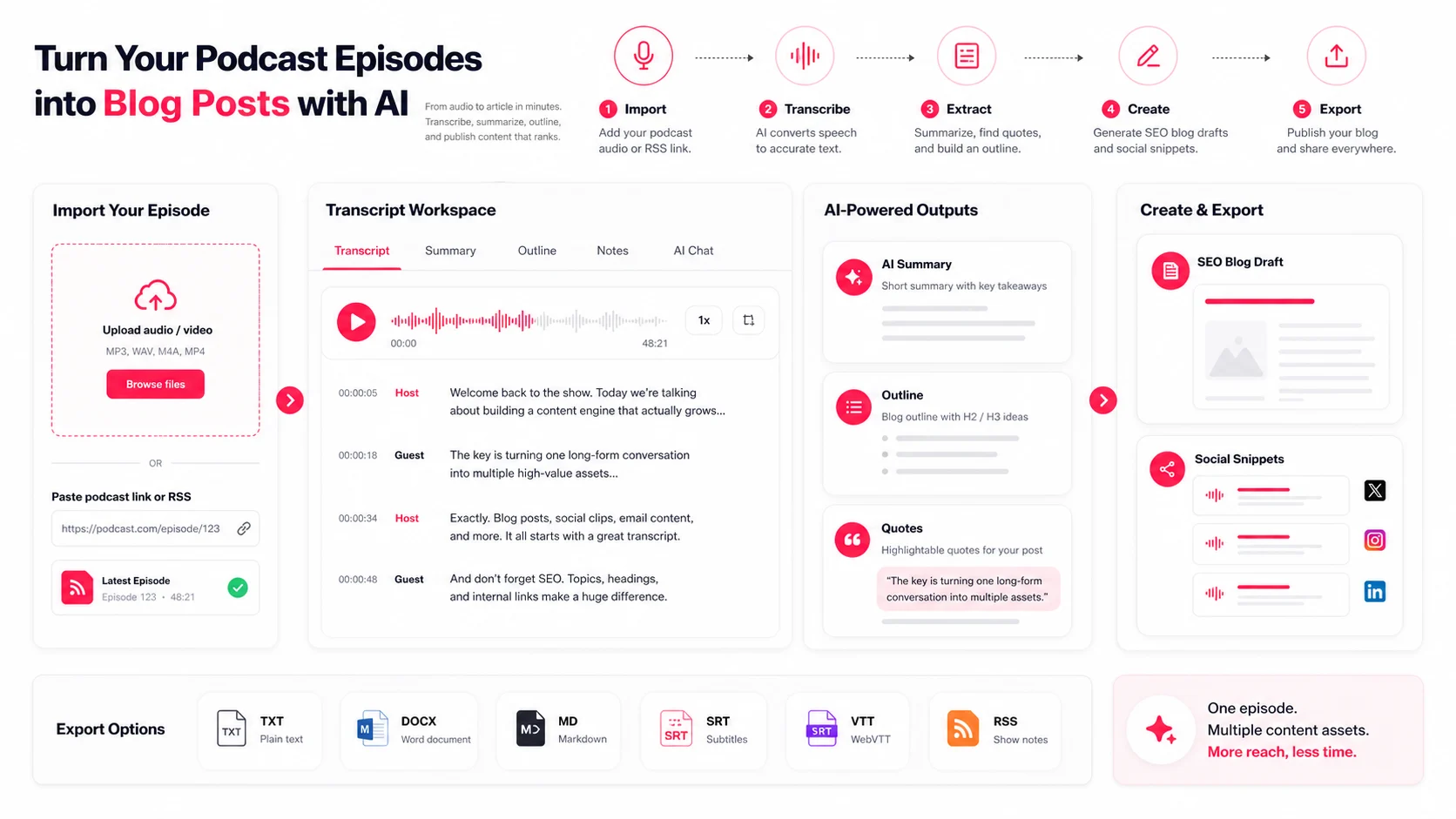
EasyScribe provides the transcript workspace for the process. Upload audio or paste a supported podcast link, review the transcript, generate summaries or prompts, and export the source material for publishing.
The human still makes the editorial decisions: which argument leads, which quotes matter, what needs fact-checking, and what the reader should do next.
1. Prepare the Episode and Get a Clean Transcript in EasyScribe
Upload Your Audio or Video File and Run AI Transcription
Use podcast transcription, file upload, or link transcription. Keep the original audio available so every quote can be checked later.
Select the source language when known. For a recurring show, use consistent filenames and titles so the transcript library remains easy to search.
Use Speaker Identification and Timestamps
Rename the host and guests early. Timestamps help you return to a story, statistic, or quote without replaying the complete episode.
If the source comes from platform captions, speaker identity may not be included. Create or correct the labels manually.
Edit the Transcript Before You Start Writing
Correct:
- Guest and company names
- Product names and specialist terms
- Dates, numbers, and quoted claims
- Speaker attribution
- Sections with poor audio
Then remove ads, housekeeping, repeated explanations, false starts, and tangents that do not support the article.
2. Turn the Transcript Into a Blog Outline and Draft
Pull Out Key Ideas, Sections, and Takeaways
Read the summary first, then scan the transcript for three to seven durable themes. Group related moments even when they occurred far apart in the conversation.
A useful outline normally includes:
| Article section | Transcript source |
|---|---|
| Introduction | The core problem or promise |
| Main sections | Recurring themes and frameworks |
| Examples | Stories, case studies, and demonstrations |
| Quotes | Clear statements with verified attribution |
| Conclusion | Practical takeaway or next action |
Draft Headings, Summaries, and Title Options
Turn each theme into a heading that answers a reader question. Ask EasyScribe Chat for outline options or a concise section summary, then edit the result around the search intent.
The title should promise the useful outcome, not merely repeat the podcast episode name.
Rewrite Dialogue Into Readable Article Prose
Do not paste a conversation into a blog post. Combine repeated points, remove filler, define context, and move supporting examples under the idea they explain.
Keep the speaker's meaning and voice, but write complete paragraphs that a reader can scan without hearing the episode.
3. Add Quotes, Format the Post, and Export for Publishing
Extract Quotes, Timestamps, and Supporting Elements
Choose quotes that add evidence or personality. Verify every quote against the audio and retain the timestamp in your working notes.
Add supporting assets where useful:
- Embedded podcast player
- Original charts or diagrams
- Screenshots
- Pull quotes
- Step-by-step lists
- Related internal links
Do a Final Human Edit for Clarity and Accuracy
Check facts, names, links, numbers, product claims, and attribution. Remove AI phrasing that sounds generic. Make sure every section adds information rather than repeating the introduction.
Export From EasyScribe and Publish in Your CMS
Export the reviewed source as TXT or Markdown, then finish formatting in your CMS. The same transcript can also produce show notes, a newsletter, FAQs, social posts, and subtitle files.
Conclusion: Get More Written Content From Every Podcast Episode
Podcast-to-blog works when AI handles the slow first pass and a person shapes the final argument. The transcript creates leverage; editorial judgment creates the article.
FAQs
What makes a podcast episode worth turning into a blog post?
Choose episodes with durable ideas, useful frameworks, clear examples, strong quotes, or questions people actively search for.
How much editing does an AI transcript need before writing?
Correct names, technical terms, speakers, and important figures first. Then remove ads, filler, repetition, and tangents before outlining.
Can one podcast episode become multiple written content pieces?
Yes. One transcript can support a long article, show notes, a newsletter, quote cards, social posts, FAQs, and internal documentation.